Gone are the days when clunky, multi-speaker home theater systems were the only way to get truly immersive audio. Today, the humble sound bar has revolutionized how we experience movies, music, and games right in our living rooms. If you’re looking to dramatically upgrade your TV’s sound, finding the best sound bar is your next mission. At Mxwar.com, with over 15 years in the trenches of audio technology, we’re here to guide you through the jungle of choices and help you find the perfect sonic companion for your screen.
Why Upgrade to a Sound Bar? The MXWAR Perspective
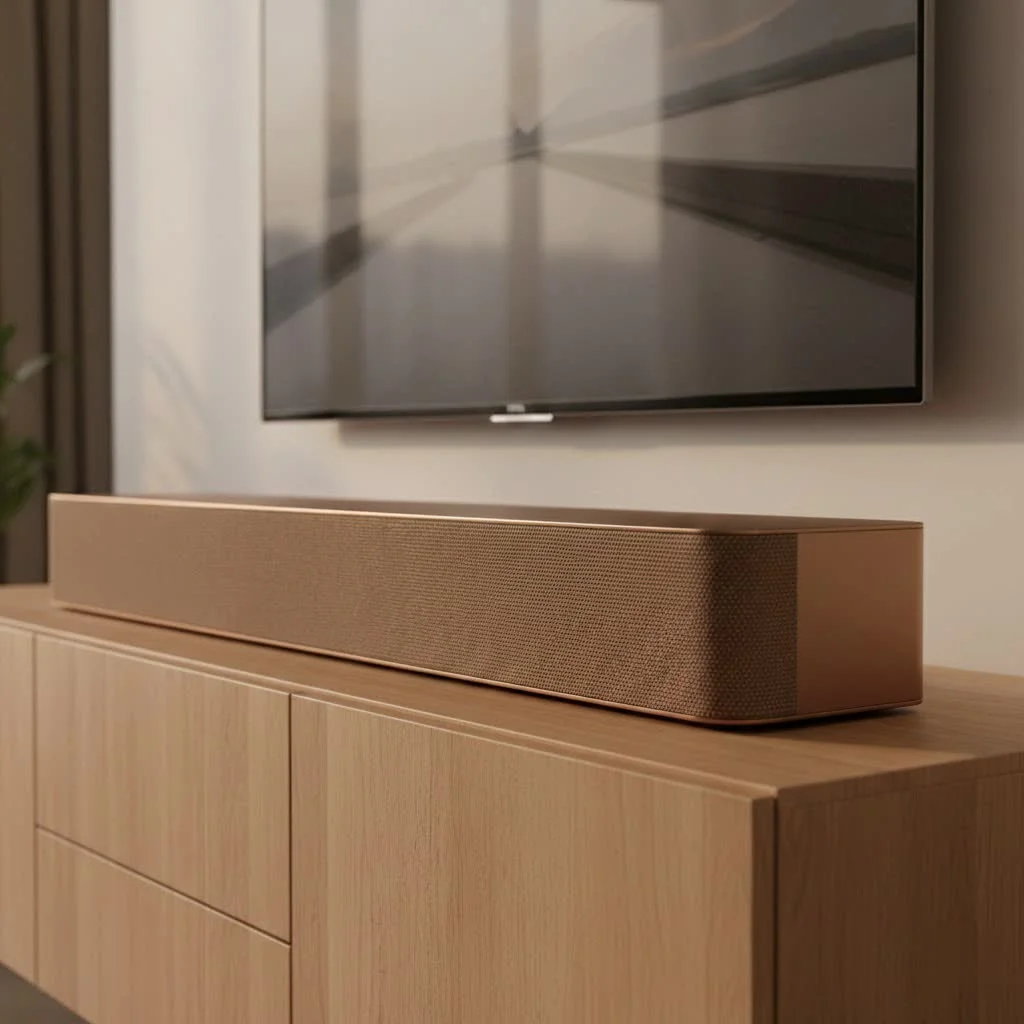
Let’s be real: modern flat-screen TVs, while visually stunning, often compromise on audio quality due to their slim designs. Their built-in speakers just can’t deliver the rich, dynamic sound that high-definition content deserves. That’s where a sound bar comes in. It’s a single, elegant unit (or a system with a few components) designed to project audio with remarkable clarity and power, far surpassing your TV’s native speakers. From crystal-clear dialogue in your favorite dramas to earth-shaking explosions in action blockbusters, a quality sound bar transforms your viewing experience into something truly cinematic. Plus, it saves valuable space and simplifies your setup compared to traditional surround sound systems. It’s the most effective way to elevate your home audio without turning your living room into a maze of wires.
Decoding Sound Bar Technology: What Really Matters
Choosing the best sound bar means understanding some key technologies. Don’t worry, we’ll break it down into plain English.
The Power of Channels: Understanding 2.0, 3.1, 5.1, and Beyond
When you see numbers like “2.0” or “5.1.2” associated with sound bars, they refer to the number of audio channels. Think of channels as individual sound sources or speakers.
- 2.0 Channel: A basic stereo setup, with left and right speakers. It’s a significant upgrade from TV speakers, offering better stereo separation.
- 3.1 Channel: Adds a dedicated center channel for dialogue clarity and a separate subwoofer for bass. This is a popular choice for clear voices in movies and TV shows.
- 5.1 Channel: Includes front left, front right, center, two rear (or virtual rear) channels, and a subwoofer. This delivers a more encompassing surround sound experience.
- 5.1.2 Channel (or higher, like 7.1.4, 11.1.4): The third number indicates “height” channels, usually achieved with upward-firing speakers. These are crucial for truly immersive formats like Dolby Atmos. More channels generally mean a more expansive and detailed soundstage, making you feel more “in” the action.
Immersive Audio: Dolby Atmos and DTS:X Explained
|
Our Picks for the Best Sound Bar in 2026
As an Amazon Associate I earn from qualifying purchases.
|
||
| Num | Product | Action |
|---|---|---|
| 1 | Sonos Beam Gen 2 - White - Soundbar with Dolby Atmos |

|
| 2 | MZEIBO Sound Bar with Subwoofer,120W Soundbar for Smart TV Surround Sound Home Theater System Bluetooth 5.3 Audio Compatible with ARC, AUX, Optical |
|
| 3 | Sony S100F 2.0ch Soundbar with Bass Reflex Speaker, Integrated Tweeter and Bluetooth, (HTS100F), easy setup, compact, home office use with clear sound black |
|
| 4 | ULTIMEA 5.1CH Surround Sound Bar with Subwoofer, Dolby Atmos, VoiceMX, BassMX, APP, 300W Soundbar for Smart TV, Home Theater Surround Sound System for TV, BT 5.4, Poseidon M60 (2025 Model) |
|
| 5 | Sound Bar for Smart TV, 80W Soundbar with Bluetooth/ARC/Opt/AUX Connect, Dynamic Volume Boost, 3 Equalizer Modes, 2 in 1 Detachable Soundbar for TV/PC/Gaming/Projectors |
|
| 6 | Sound Bar for Smart TV, 80W Soundbar with Bluetooth/ARC/Opt/AUX Connect, Auto Volume Boost, 3 Equalizer Modes, 2 in 1 Detachable Soundbar for TV/PC/Gaming/Projectors |
|
| 7 | Samsung HW-C450 2.1ch Soundbar w/DTS Virtual X, Subwoofer Included, Bass Boost, Adaptive Sound Lite, Game Mode, Bluetooth, Wireless Surround Sound Compatible |
|
| 8 | Sonos Beam Gen 2 - Black - Soundbar with Dolby Atmos |
|
| 9 | Sound Bar for Smart TV, 80W Soundbar with Bluetooth/ARC/Opt/AUX Connect, Auto Volume Boost, 3 Equalizer Modes, 2 in 1 Detachable Soundbar for TV/PC/Gaming/Projectors |
|
| 10 | VIZIO V-Series 2.0 Compact Sound Bar with Dolby Audio, DTS:X, Bluetooth V20x-J8 |
|
These are the big guns of modern cinematic audio. Both Dolby Atmos and DTS:X are object-based audio technologies that go beyond traditional channel-based surround sound. Instead of simply pushing sound to specific speakers, they treat individual sounds (like a helicopter, a raindrop, or a spoken word) as “objects” that can be precisely placed and moved anywhere in a three-dimensional space – including above you.
- Dolby Atmos: This is perhaps the most well-known immersive format. Sound bars supporting Dolby Atmos use up-firing speakers to bounce sound off your ceiling, creating the illusion of overhead effects. Imagine rain seeming to fall from above or a plane flying directly over your head. It’s a game-changer for movies and certain video games.
- DTS:X: Similar to Atmos, DTS:X also offers an object-based, multi-dimensional audio experience. While Dolby Atmos is more prevalent, many premium sound bars support both, ensuring you get the best possible sound no matter the content’s audio encoding.
These technologies are designed to make you feel like you’re not just watching a scene, but experiencing it from within.
Connectivity: HDMI eARC, Bluetooth, and Wi-Fi
How your sound bar connects to your other devices is critical for performance and convenience.
- HDMI ARC/eARC (Audio Return Channel): This is the gold standard for connecting your sound bar to your TV. HDMI eARC (enhanced Audio Return Channel) is the superior option, allowing for uncompressed, high-bandwidth audio formats like Dolby Atmos to pass through from your TV to your sound bar. This means the sound bar receives all the audio signals while your TV handles the visuals, ensuring optimal performance. Always prioritize a sound bar with HDMI eARC if your TV supports it.
- Bluetooth: Great for casual music streaming from your phone or tablet. It’s convenient for quick connections without wires, though it’s generally compressed audio.
- Wi-Fi: Offers higher bandwidth than Bluetooth, allowing for lossless audio streaming from music services, and often enabling multi-room audio capabilities. If you have other Wi-Fi enabled speakers, a sound bar with Wi-Fi can integrate into a larger home audio ecosystem.
Subwoofers and Surround Speakers: To Add or Not to Add?
Many sound bars come as a single unit, but the best sound bar systems often include additional components for a truly full experience.
- External Subwoofer: This is crucial for deep, resonant bass. While some sound bars have built-in woofers, a dedicated, often wireless, subwoofer will provide much more impactful low-end sound, essential for action movies and music. You’ll feel the bass rather than just hear it.
- Wireless Rear Speakers: For a truly discrete surround sound experience, some sound bars can pair wirelessly with satellite rear speakers. This creates a more authentic sound field, with effects actually coming from behind you, enhancing immersion significantly.
How to Choose the Best Sound Bar for Your Needs
Finding the perfect sound bar isn’t a one-size-fits-all situation. It depends on your unique preferences, space, and budget.
Your Budget: Finding the Sweet Spot
Sound bars range from a couple of hundred dollars to several thousands.
- Budget-Friendly (Under $300-$400): You can find excellent basic sound bars that dramatically improve dialogue clarity and offer a wider soundstage than TV speakers. Look for 2.1 or 3.1 channel systems, often with a compact external subwoofer. The Yamaha SR-B20A is a great example of bang for your buck.
- Mid-Range ($400-$800): This segment offers more features, including Dolby Atmos (often virtual), more powerful subwoofers, and better connectivity. You’ll see solid 5.1 or 3.1.2 channel systems. The Sony HT-S2000 is a fantastic budget-friendly option with Dolby Atmos.
- Premium ($800+): This is where you get into true immersive audio with dedicated up-firing speakers, powerful multi-component systems (sound bar, subwoofer, rear speakers), advanced room calibration, and superior build quality. Options like the Samsung HW-Q990D and Sonos Arc Ultra exemplify this tier.
Room Size and Layout: Tailoring Sound to Your Space
The size and shape of your room significantly impact sound performance.
- Small to Medium Rooms: Compact sound bars or 2.1/3.1 systems are often sufficient. Virtual surround sound can work well here. Ensure the sound bar isn’t wider than your TV for aesthetics.
- Large Rooms or Open-Concept Spaces: You’ll benefit from more powerful sound bars, ideally with true multi-channel setups (e.g., 5.1.2 or higher) and a robust subwoofer. Features like room calibration become especially valuable here to optimize sound delivery.
- Placement: Most sound bars are designed to sit directly under your TV on a stand, or be wall-mounted directly below a wall-mounted TV. Consider the height – you don’t want it blocking your TV screen or IR sensor.
Lifestyle Integration: Smart Features and Design
Beyond raw audio power, modern sound bars offer convenience and aesthetic appeal.
- Smart Features: Many sound bars now integrate voice assistants like Amazon Alexa or Google Assistant, allowing hands-free control, music playback, and smart home management. Wi-Fi connectivity also enables multi-room audio, letting you sync your sound bar with other speakers around your home for a cohesive listening experience.
- Design: Sound bars come in various finishes and sizes. Choose one that complements your TV and room decor. The Klipsch Flexus Core 300, for instance, focuses on a sleek, one-box solution while still delivering impressive sound.
What Content Do You Watch? (Movies, Music, Gaming)
Your primary use case can help narrow down your choices for the best sound bar.
- Movies & TV Shows: Prioritize sound bars with excellent dialogue clarity (a dedicated center channel helps) and immersive audio formats like Dolby Atmos. Systems with a subwoofer and optional rear speakers will create a truly cinematic experience.
- Music: Look for sound bars with good stereo separation, balanced audio profiles, and Wi-Fi connectivity for high-quality streaming from services like Spotify or Tidal. Sonos Arc is renowned for its music capabilities as part of the Sonos ecosystem.
- Gaming: Low-latency connections (HDMI eARC), clear directional audio for competitive play, and impactful bass for explosions are key. Some sound bars, like the Sony BRAVIA Theatre 8, are specifically optimized for gaming.
Top Picks: The Best Sound Bars You Can Buy Right Now
Based on extensive testing and user feedback, here are some of the top contenders for the best sound bar across various categories in 2024:
Best All-Round Sound Bar: Samsung HW-Q800D
The Samsung HW-Q800D hits a sweet spot for most users, offering a premium 5.1.2 channel experience with Dolby Atmos and DTS:X support without breaking the bank. It delivers dynamic, engaging sound with plenty of power and includes Samsung-specific features like Q-Symphony, which syncs with compatible Samsung TVs for an even broader soundstage. It’s a fantastic all-rounder for movies, music, and gaming.
Best Budget-Friendly Option: Sony HT-S2000
For those looking to get into immersive audio without a significant investment, the Sony HT-S2000 is a top pick. It provides high-quality sound with virtual Dolby Atmos, offering a surprising level of immersion for its price point. Its compact design also means it doesn’t require a lot of space, making it ideal for smaller rooms or apartments.
Best for True Dolby Atmos Immersion: Samsung HW-Q990D / Sennheiser Ambeo Max
If you demand the absolute pinnacle of immersive audio, the Samsung HW-Q990D is hard to beat. This flagship system offers a full 11.1.4 channel setup with dedicated rear speakers and a powerful subwoofer, delivering breathtaking Dolby Atmos surround sound. For a truly no-compromise, single-bar solution, the Sennheiser Ambeo Max stands out, using a multitude of drivers to create an incredibly lifelike and detailed soundstage that rivals multi-speaker setups.
Best for Flexibility and Multi-Room Audio: Sonos Arc
The Sonos Arc is not only an exceptional sound bar for TV audio but also a cornerstone of the Sonos multi-room ecosystem. With 11 high-performance drivers, including up-firing ones for Dolby Atmos, it delivers expansive, detailed sound. Its seamless integration with other Sonos speakers and intuitive app control makes it perfect for music lovers who want a unified home audio experience. For unique flexibility, the JBL Bar 1300X offers detachable, battery-powered wireless rear speakers that can also double as Bluetooth speakers for other rooms.
Expert Tip from MXWAR: Optimizing Your Sound Bar Setup
“Even the best sound bar can underperform if not set up correctly,” advises Elias Vance, Lead Audio Engineer at Mxwar. “Take the time to ensure proper placement – ideally centered with your TV and at ear level. If your sound bar has room calibration, use it! This feature intelligently adjusts the audio to suit your specific room acoustics, making a significant difference in sound quality and immersion. It’s about letting your sound bar truly sing in your space.”
Frequently Asked Questions (FAQ)
Q: Do I really need a subwoofer with my sound bar?
A: While some sound bars offer decent bass, a dedicated external subwoofer provides significantly deeper, richer, and more impactful low-frequency sound. If you want to truly feel explosions in movies or the beat in music, a subwoofer is highly recommended.
Q: What’s the difference between HDMI ARC and eARC?
A: HDMI ARC (Audio Return Channel) allows audio to be sent from your TV to your sound bar via a single HDMI cable. HDMI eARC (enhanced Audio Return Channel) is an upgraded version that supports higher bandwidth, enabling the transmission of uncompressed, high-bitrate audio formats like Dolby Atmos (TrueHD) and DTS:X, which ARC cannot. For the best sound bar experience with immersive audio, eARC is preferable.
Q: Can I use my sound bar for just music?
A: Absolutely! Many sound bars feature Bluetooth and/or Wi-Fi connectivity, allowing you to stream music wirelessly from your smartphone, tablet, or favorite music services. Premium sound bars often deliver excellent music playback, making them a versatile audio hub for your home.
Q: How many channels do I need in a sound bar?
A: The “best” number of channels depends on your budget and desired immersion. A 2.1 or 3.1 channel system is a great starting point for clear dialogue and improved bass. For a truly cinematic and immersive experience, especially with Dolby Atmos, a 5.1.2 or higher channel system (with up-firing speakers) is ideal to create a 3D sound field.
Q: Is a sound bar better than my TV’s built-in speakers?
A: Almost universally, yes. Sound bars are specifically designed with better drivers, amplification, and acoustic engineering than the tiny speakers found in most flat-screen TVs. They deliver clearer dialogue, wider soundstages, and more dynamic range, transforming your viewing experience dramatically.
Conclusion
Upgrading to the best sound bar is one of the most impactful improvements you can make to your home entertainment system. It’s about more than just louder sound; it’s about clarity, depth, and immersion that pulls you into every scene. From understanding the nuances of Dolby Atmos to choosing the right connectivity, we hope this guide empowers you to make an informed decision. At Mxwar.com, we’re passionate about helping you achieve the ultimate home audio experience. So, take the leap, transform your living room into a sonic sanctuary, and prepare to hear your favorite content like never before!
Get our weekly buyer guide
Practical specs, not advice. Unsubscribe anytime.

I’ve been on the fence about a soundbar for a while, thinking I needed a full surround sound system. But after reading about how much soundbars have improved, I decided to try one. The setup was super easy, and the sound quality is surprisingly good for such a compact unit. It doesn’t quite replicate a true 5.1 system, but for my apartment, it’s perfect.
I got a soundbar that was recommended for smaller rooms, and while the sound is definitely better than my TV’s built-in speakers, I’m a little disappointed with the bass. It’s just not as punchy as I hoped, even with the ‘bass boost’ setting. I might need to look into adding a separate subwoofer later on, which kinda defeats the purpose of a simple soundbar.
I was so tired of the tinny sound from my new flat-screen TV. This guide really helped me understand the different features to look for. I ended up getting a mid-range soundbar with a dedicated subwoofer, and it’s made a huge difference. Movies finally sound immersive, and I can actually hear dialogue clearly now. Definitely worth the upgrade!
This article was spot on about how much modern TVs lack in audio. I’ve been using a soundbar for gaming for about six months now, and it’s a game-changer. The directional audio is much clearer, and explosions actually feel impactful. It really enhances the whole gaming experience, especially for competitive titles where sound cues are crucial.