A sound bar with Bluetooth significantly enhances home entertainment by providing richer, clearer audio for TVs and acting as a wireless speaker for mobile devices. This dual functionality transforms a living room into a versatile audio hub, delivering cinematic sound for movies and immersive audio for music without cable clutter. Modern Bluetooth sound bars, especially those with versions 5.0 and newer, offer high-quality audio transmission that is virtually indistinguishable from a wired connection for most listeners.
What Exactly is a Sound Bar with Bluetooth?
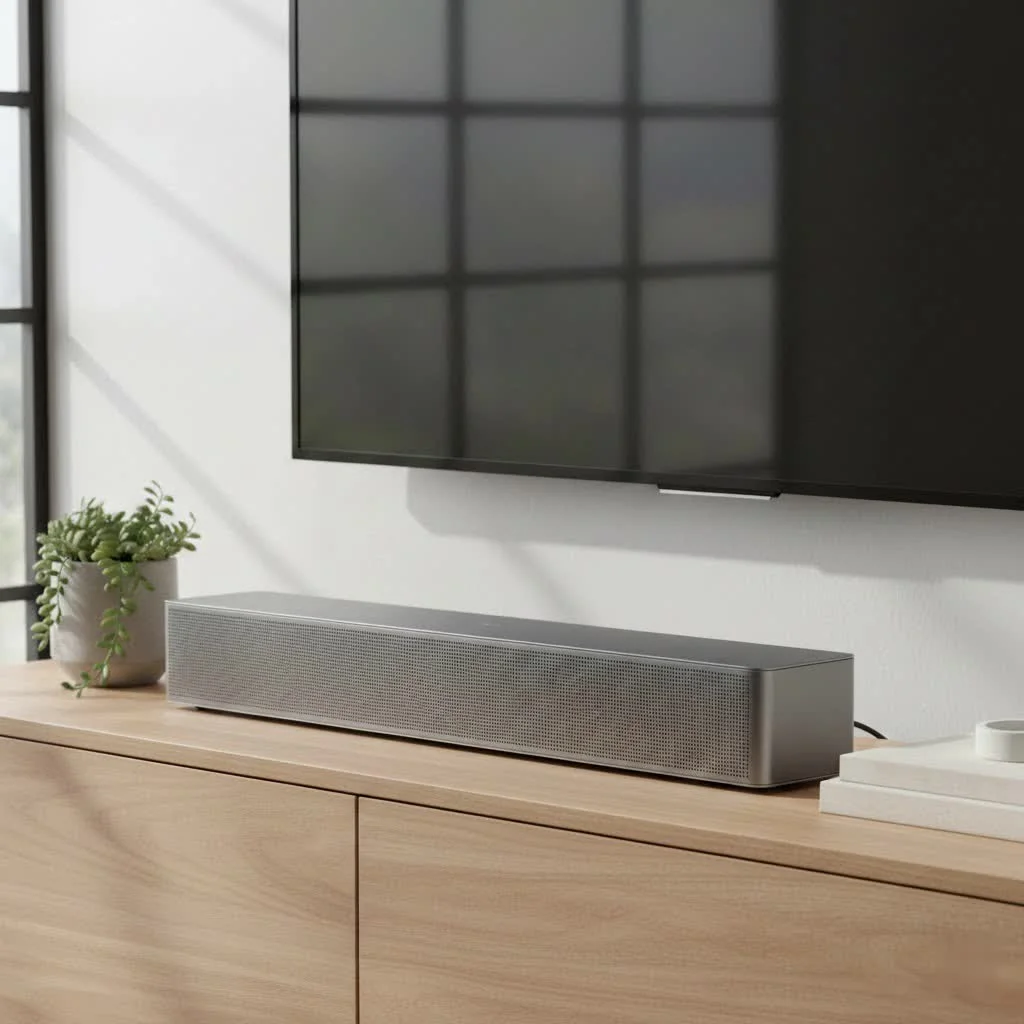
At its core, a sound bar is a long, slim speaker system that houses multiple drivers in a single enclosure. It’s designed to sit neatly in front of or below your TV, projecting audio that is far richer, clearer, and more expansive than what your TV can produce on its own. The “with Bluetooth” part is the major upgrade. This built-in wireless technology allows you to connect not just your TV, but also your smartphone, tablet, or laptop to the sound bar without any physical cables. This dual functionality makes it the versatile audio hub for your entire living room.
Why a Bluetooth Sound Bar is a Smart Upgrade
Upgrading to a sound bar with Bluetooth isn’t just about making your TV sound better; it’s about revolutionizing how you interact with all your audio content. The benefits are immediate and impactful.
Declutter Your Space: The Wireless Advantage
The most obvious benefit is the reduction of cable clutter. Traditional home theater systems often involve running speaker wires across the room, creating a tangled mess that is difficult to manage and visually unappealing. With a Bluetooth sound bar, you can achieve a clean, minimalist setup. While you’ll still need a power cord and a connection to the TV (often a single HDMI or optical cable), the ability to stream from other devices wirelessly keeps your entertainment center tidy and modern.
Your Music, Amplified: Stream from Any Device
A Bluetooth sound bar instantly becomes the best speaker in your house. Think about it: that amazing playlist you curated on your phone, the fascinating podcast you follow, or the audiobook you’re engrossed in can now be played with deep, room-filling sound. Instead of listening through tinny phone speakers or headphones, you can stream audio directly to the sound bar with a few simple taps, turning your living room into a concert hall or a live lecture theater.
Simple Setup, Instant Gratification
Setting up a full surround sound system can be a complex project, involving multiple speakers, an AV receiver, and a lot of calibration. A sound bar with Bluetooth, on the other hand, is designed for plug-and-play simplicity. Most models can be set up in minutes. Just connect it to power, link it to your TV with one cable, and pair your mobile devices via Bluetooth. It’s an accessible upgrade for everyone, regardless of technical expertise.
How to Choose the Right Sound Bar with Bluetooth
With so many options on the market, finding the perfect model can seem daunting. Here’s what to focus on to ensure you get the best fit for your home and your needs.
It’s All About the Sound Quality
|
Our Picks for the Best Sound Bar in 2026
As an Amazon Associate I earn from qualifying purchases.
|
||
| Num | Product | Action |
|---|---|---|
| 1 | Sony S100F 2.0ch Soundbar with Bass Reflex Speaker, Integrated Tweeter and Bluetooth, (HTS100F), easy setup, compact, home office use with clear sound black |

|
| 2 | Sound Bar for Smart TV, 80W Soundbar with Bluetooth/ARC/Opt/AUX Connect, Dynamic Volume Boost, 3 Equalizer Modes, 2 in 1 Detachable Soundbar for TV/PC/Gaming/Projectors |
|
| 3 | Sound Bar for Smart TV, 80W Soundbar with Bluetooth/ARC/Opt/AUX Connect, Auto Volume Boost, 3 Equalizer Modes, 2 in 1 Detachable Soundbar for TV/PC/Gaming/Projectors |
|
| 4 | MZEIBO Sound Bar with Subwoofer,120W Soundbar for Smart TV Surround Sound Home Theater System Bluetooth 5.3 Audio Compatible with ARC, AUX, Optical |
|
| 5 | ULTIMEA 5.1CH Surround Sound Bar with Subwoofer, Dolby Atmos, VoiceMX, BassMX, APP, 300W Soundbar for Smart TV, Home Theater Surround Sound System for TV, BT 5.4, Poseidon M60 (2025 Model) |
|
| 6 | Sonos Beam Gen 2 - White - Soundbar with Dolby Atmos |
|
| 7 | Samsung HW-C450 2.1ch Soundbar w/DTS Virtual X, Subwoofer Included, Bass Boost, Adaptive Sound Lite, Game Mode, Bluetooth, Wireless Surround Sound Compatible |
|
| 8 | Sonos Beam Gen 2 - Black - Soundbar with Dolby Atmos |
|
| 9 | VIZIO V-Series 2.0 Compact Sound Bar with Dolby Audio, DTS:X, Bluetooth V20x-J8 |
|
| 10 | Sound Bar for Smart TV, 80W Soundbar with Bluetooth/ARC/Opt/AUX Connect, Auto Volume Boost, 3 Equalizer Modes, 2 in 1 Detachable Soundbar for TV/PC/Gaming/Projectors |
|
The primary reason for buying a sound bar is to improve audio, so this is paramount.
- Channels: You’ll see numbers like 2.1, 3.1, or 5.1. The first number indicates the number of main channels (drivers), and the “.1” means it includes a separate subwoofer for bass. A 2.1 system is a great starting point, while a 3.1 system adds a dedicated center channel for clearer dialogue.
- Subwoofer: A subwoofer is crucial for feeling the low-frequency effects in movies and adding depth to music. Some sound bars have built-in subwoofers, but for that truly cinematic rumble, look for models with a separate, wireless subwoofer.
- Audio Formats: For movie lovers, support for formats like Dolby Atmos and DTS:X can create a three-dimensional sound experience, making you feel like you’re right in the middle of the action.
Connectivity: More Than Just Bluetooth
While Bluetooth is a key feature, ensure the sound bar has the right physical connections for your other gear.
- HDMI ARC/eARC: This is the most important connection. It allows you to connect the sound bar to your TV with a single HDMI cable, sending audio from the TV to the speaker and allowing you to control the sound bar’s volume with your TV remote.
- Optical Audio: A solid digital connection that is a great alternative if your TV doesn’t have HDMI ARC.
- Wi-Fi: Some premium models also include Wi-Fi connectivity, which can offer higher fidelity streaming for music and enables multi-room audio capabilities.
Size and Design: Match Your Room
Consider the size of your TV and the space you have. The sound bar shouldn’t be wider than your TV, as this can look awkward. If you plan to place it on a media unit, measure the height to ensure it doesn’t block the bottom of your screen or your TV’s IR sensor. Many sound bars also come with mounting kits if you prefer to put them on the wall.
As home audio specialist, Amelia Vance, from “Audio Integrity Labs” often states, “A sound bar should integrate seamlessly into your life. The best one isn’t just about specs; it’s about making great sound effortless, whether you’re watching a blockbuster or just listening to a podcast while you cook.”
Getting Connected: A Simple Step-by-Step Guide
Pairing your devices to a sound bar with Bluetooth is incredibly straightforward. Here’s the typical process:
- Power On: Ensure your sound bar is plugged in and turned on.
- Select Bluetooth Mode: Use the sound bar’s remote or buttons on the unit to set it to Bluetooth pairing mode. It will usually have a flashing blue light to indicate it’s ready to connect.
- Open Your Device’s Bluetooth Settings: On your smartphone, tablet, or computer, go to the Bluetooth menu in your settings.
- Find the Sound Bar: Your device will scan for available devices. Select your sound bar from the list (it will usually appear by its model name).
- Confirm Pairing: Once you select it, the devices will pair. The light on the sound bar will typically turn solid blue, and you may hear a confirmation tone. You are now ready to stream!
Answering Your Top Bluetooth Audio Questions
Does Bluetooth degrade audio quality?
This is a common concern. While older versions of Bluetooth used compression that could noticeably affect sound quality, modern Bluetooth technology (like versions 5.0 and newer) has made huge strides. It uses more advanced audio codecs like AAC and aptX, which allow for high-quality audio transmission that is virtually indistinguishable from a wired connection for most listeners.
Can I connect any TV to a sound bar with Bluetooth?
Yes, most modern smart TVs have Bluetooth output capabilities, allowing for a completely wireless connection to the sound bar. However, for the best and most stable connection, using an HDMI ARC cable is still recommended for connecting your TV. This method avoids any potential audio lag (latency) between the picture and the sound. Use Bluetooth as your go-to for all your other devices.
How far can the Bluetooth connection reach?
Most modern Bluetooth sound bars offer a reliable connection range of about 30 feet (or 10 meters). This provides plenty of flexibility, allowing you to control your music from across the room without worrying about the signal dropping.
The Final Verdict
A sound bar with Bluetooth is one of the most practical and impactful upgrades you can make to your home entertainment system. It solves the problem of poor TV audio while simultaneously serving as a high-quality wireless speaker for all your devices. By delivering powerful sound, a cleaner setup, and unmatched convenience, it bridges the gap between your television, your music, and the immersive audio experience you deserve. It’s not just a speaker; it’s the centerpiece of your modern living room.
Frequently Asked Questions
Does Bluetooth technology degrade the audio quality of a sound bar?
Modern Bluetooth technology, specifically versions 5.0 and newer, uses advanced audio codecs like AAC and aptX. These codecs enable high-quality audio transmission that is virtually indistinguishable from a wired connection for most listeners, significantly reducing concerns about sound degradation.
Can all televisions connect wirelessly to a Bluetooth sound bar?
Most modern smart TVs feature Bluetooth output capabilities, allowing for a wireless connection to a sound bar. However, for optimal stability and to avoid audio lag, an HDMI ARC cable connection is generally recommended for connecting your TV to the sound bar.
What is the typical range for a Bluetooth sound bar connection?
Most modern Bluetooth sound bars provide a reliable connection range of approximately 30 feet (or 10 meters). This range offers ample flexibility for controlling your audio from various points within a typical living room without signal interruption.
What are the essential audio formats to look for in a sound bar?
For an immersive experience, especially for movies, look for sound bars that support formats like Dolby Atmos and DTS:X. These technologies create a three-dimensional sound experience, making you feel more engaged in the action on screen.
How do sound bar channels like 2.1 or 3.1 affect audio output?
The channel numbers indicate the number of main drivers and whether a subwoofer is included. A 2.1 system provides two main channels and a subwoofer for bass, while a 3.1 system adds a dedicated center channel, which significantly improves dialogue clarity.
Connect Devices to a Bluetooth Sound Bar
This guide outlines the simple steps to pair your smartphone, tablet, or computer with a Bluetooth sound bar for wireless audio streaming.
Ensure your sound bar is properly plugged into a power outlet and turned on. Confirm that the power indicator light is active.
Use the sound bar's remote control or the physical buttons on the unit to switch it into Bluetooth pairing mode. A flashing blue light typically indicates that the sound bar is ready to connect.
On your smartphone, tablet, or computer, navigate to the Bluetooth menu within your device's settings. Make sure Bluetooth is enabled on your device.
Your device will scan for nearby Bluetooth devices. Locate and select your sound bar from the list of available devices, usually identified by its model name.
Once selected, the devices will pair. The sound bar's light will typically turn solid blue, and you might hear an audible confirmation tone. You can now begin streaming audio wirelessly.
Get our weekly buyer guide
Practical specs, not advice. Unsubscribe anytime.

This sound bar with Bluetooth has been a game changer for my apartment. I love how it sits neatly under my TV and projects such expansive sound. No more cable clutter, which is a huge plus for me. It’s fantastic for both watching action movies and just having some background music while I’m cleaning.
I picked up a sound bar with Bluetooth mainly for gaming and it’s been a solid upgrade. The audio is much clearer and I can hear details I missed before. My only minor complaint is that sometimes connecting my older tablet takes a couple of tries, but once it’s linked, the sound is great. Definitely better than my TV’s built-in sound.
I finally upgraded my old TV speakers with a new sound bar that has Bluetooth 5.0, and wow, what a difference! The sound quality for movies is incredible, really cinematic. Plus, being able to easily stream music from my phone without any wires is super convenient. It truly transforms my living room into an audio hub.
I was really excited about getting a sound bar with Bluetooth for both TV and music. While the TV audio is a huge improvement, I’ve noticed a slight delay when using it as a wireless speaker for music from my laptop. It’s not a deal-breaker, but it’s noticeable enough to be a bit annoying. Still, for the price, it’s a decent enhancement for my home entertainment setup.