Ever wondered if your home entertainment could sound even better? You’ve got the stunning 4K TV, the comfy couch, but what about the audio? That’s where a Vizio sound bar steps in, transforming your viewing and listening experience from merely good to truly immersive. For over 15 years, I’ve seen countless advancements in home audio, and Vizio has consistently been at the forefront of delivering cutting-edge sound technology without breaking the bank. On mxwar.com, we champion the idea that incredible sound should be accessible to everyone, and Vizio sound bars embody that philosophy perfectly.
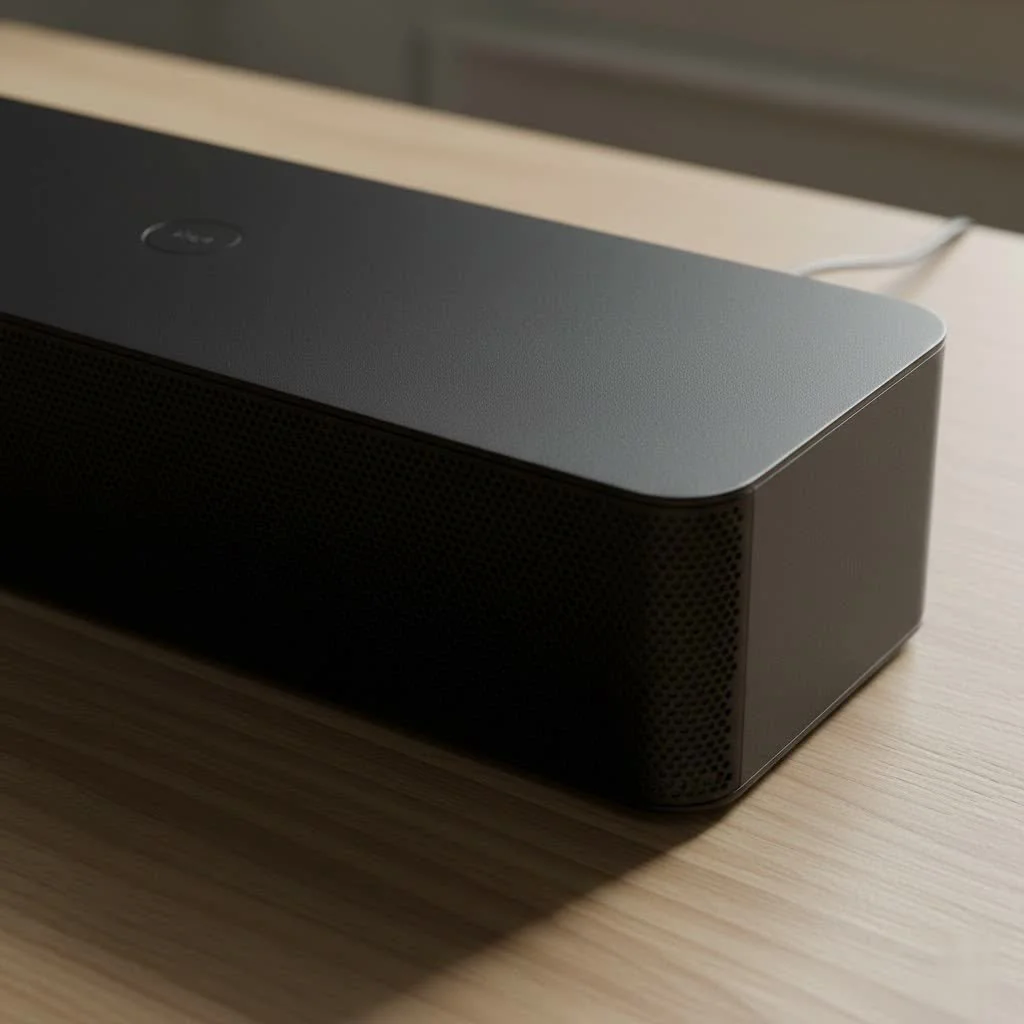
What Makes a Vizio Sound Bar Stand Out?
Vizio has carved out a strong niche in the home audio market by offering a compelling blend of advanced features, impressive performance, and competitive pricing. It’s like getting a premium concert ticket for a local band’s price – unbeatable value!
Value Proposition: Premium Features at Accessible Prices
Vizio is well-known for integrating the latest audio technologies, such as Dolby Atmos and DTS:X, into their sound bars across various price points. This means you don’t have to spend a fortune to enjoy truly cinematic sound with overhead effects. While some premium brands might offer similar features at a higher cost, Vizio often delivers a comparable audio experience, especially with models like the M-Series. This focus on value makes them a go-to choice for many looking to upgrade their audio without stretching their budget too thin.
Diverse Range: From Compact to Immersive Systems
Whether you live in a cozy apartment or have a spacious living room, there’s a Vizio sound bar designed to fit your needs. Their lineup spans from simple, compact 2.0-channel bars to elaborate 5.1.4 home theater systems.
- 2.0 and 2.1 Channel Systems: Perfect for smaller spaces or simply enhancing TV dialogue and stereo music. The “2.1” models typically include a dedicated wireless subwoofer for added bass depth, like the Vizio V Series V21-H8.
- 5.1 Channel Systems: These introduce discrete satellite speakers for genuine surround sound, pulling you deeper into movies and games. The Vizio V-Series 5.1 Soundbar is a popular budget-friendly example.
- 5.1.2 and 5.1.4 Systems: These are the big leagues, incorporating up-firing speakers for Dolby Atmos and DTS:X height effects, making sound feel like it’s coming from all around you, even above. The Vizio Elevate and M512a-H6 are prime examples, with the Elevate even featuring revolutionary rotating speakers that automatically adjust for optimal overhead audio.
Key Technologies: Dolby Atmos and DTS:X Explained Simply
|
Our Picks for the Best Sound Bar in 2026
As an Amazon Associate I earn from qualifying purchases.
|
||
| Num | Product | Action |
|---|---|---|
| 1 | Sonos Beam Gen 2 - Black - Soundbar with Dolby Atmos |

|
| 2 | ULTIMEA 5.1CH Surround Sound Bar with Subwoofer, Dolby Atmos, VoiceMX, BassMX, APP, 300W Soundbar for Smart TV, Home Theater Surround Sound System for TV, BT 5.4, Poseidon M60 (2025 Model) |
|
| 3 | Sound Bar for Smart TV, 80W Soundbar with Bluetooth/ARC/Opt/AUX Connect, Auto Volume Boost, 3 Equalizer Modes, 2 in 1 Detachable Soundbar for TV/PC/Gaming/Projectors |
|
| 4 | Sound Bar for Smart TV, 80W Soundbar with Bluetooth/ARC/Opt/AUX Connect, Auto Volume Boost, 3 Equalizer Modes, 2 in 1 Detachable Soundbar for TV/PC/Gaming/Projectors |
|
| 5 | Sound Bar for Smart TV, 80W Soundbar with Bluetooth/ARC/Opt/AUX Connect, Dynamic Volume Boost, 3 Equalizer Modes, 2 in 1 Detachable Soundbar for TV/PC/Gaming/Projectors |
|
| 6 | Samsung HW-C450 2.1ch Soundbar w/DTS Virtual X, Subwoofer Included, Bass Boost, Adaptive Sound Lite, Game Mode, Bluetooth, Wireless Surround Sound Compatible |
|
| 7 | MZEIBO Sound Bar with Subwoofer,120W Soundbar for Smart TV Surround Sound Home Theater System Bluetooth 5.3 Audio Compatible with ARC, AUX, Optical |
|
| 8 | Sony S100F 2.0ch Soundbar with Bass Reflex Speaker, Integrated Tweeter and Bluetooth, (HTS100F), easy setup, compact, home office use with clear sound black |
|
| 9 | Sonos Beam Gen 2 - White - Soundbar with Dolby Atmos |
|
| 10 | VIZIO V-Series 2.0 Compact Sound Bar with Dolby Audio, DTS:X, Bluetooth V20x-J8 |
|
These aren’t just fancy marketing terms; they’re game-changers for your audio experience.
- Dolby Atmos: Imagine raindrops falling around you and above you in a movie scene, or a helicopter flying overhead. Dolby Atmos creates a three-dimensional soundscape by adding height channels, making sounds appear to come from specific points in space, not just left, right, and front.
- DTS:X: Similar to Dolby Atmos, DTS:X is another object-based audio format that provides immersive, multi-dimensional sound. It offers incredible flexibility and aims to put you right in the middle of the action, whether it’s an explosion or the subtle rustle of leaves.
- DTS Virtual:X: For sound bars without dedicated up-firing speakers, DTS Virtual:X simulates a 3D sound experience, creating a sense of height and envelopment from a standard sound bar setup.
“Vizio has democratized immersive audio, bringing the rich, layered soundscapes of Dolby Atmos and DTS:X to a wider audience than ever before. It’s a testament to their commitment to sound quality for every home,” notes Marcus X. Warwick, lead audio engineer and founder of Mxwar.com.
Choosing the Right Vizio Sound Bar for Your Home
Selecting the perfect Vizio sound bar depends on your room size, budget, and desired level of immersion. Think of it like choosing a car – do you need a compact city car or a full-size SUV?
Understanding Speaker Configurations
The numbers (e.g., 2.1, 5.1, 5.1.4) tell you about the speaker setup:
- The first number indicates the number of main channels (left, right, center).
- The second number signifies the presence of a subwoofer (.1 means one subwoofer).
- The third number (if present) indicates the number of up-firing or height channels for immersive audio formats like Dolby Atmos.
For a true cinematic experience, a 5.1 or higher system with discrete satellite speakers and a subwoofer will deliver significantly more impact than a standalone sound bar.
Connectivity Options: HDMI ARC/eARC, Optical, Bluetooth, USB
Vizio sound bars offer various ways to connect to your TV and other devices, ensuring broad compatibility.
- HDMI ARC (Audio Return Channel) / eARC (Enhanced Audio Return Channel): This is generally the best connection. A single HDMI cable sends audio from your TV to the sound bar and allows your TV remote to control the sound bar’s volume. eARC is an upgraded version that supports higher-bandwidth audio formats like uncompressed Dolby Atmos. Always look for the “ARC” label on your TV’s HDMI port.
- Optical (TOSLINK): A reliable digital audio connection for TVs that don’t have HDMI ARC. It carries high-quality digital audio but doesn’t support the most advanced surround sound formats like Dolby Atmos.
- Bluetooth: Ideal for wirelessly streaming music from your smartphone, tablet, or other Bluetooth-enabled devices. It’s quick, convenient, and eliminates cable clutter for audio playback.
- USB: Some Vizio sound bars include a USB port, primarily for playing audio files directly from a flash drive.
Features to Look For: Wireless Subwoofers, Satellite Speakers, Dialogue Enhancement, Audio Modes
- Wireless Subwoofers: Most Vizio sound bars, even budget-friendly ones, come with a wireless subwoofer. This makes placement much easier, as you only need a power outlet, not an audio cable running across your room. They’re crucial for deep, impactful bass that truly makes movies and music come alive.
- Satellite Speakers: For genuine surround sound, satellite speakers positioned behind you are essential. Many Vizio 5.1 and higher systems include these, often connecting wirelessly to the subwoofer, which then connects to the sound bar.
- Dialogue Enhancement: This feature helps clarify voices in movies and TV shows, making dialogue easier to understand, especially during action-heavy scenes. No more constantly adjusting the volume!
- Multiple Audio Modes: Vizio sound bars typically offer various preset audio modes (e.g., Movie, Music, Dialogue, Game) that optimize the sound profile for different content types. Experimenting with these can significantly enhance your experience.
Top Vizio Models (A Quick Glance)
- Best Overall: Vizio Elevate (for premium Dolby Atmos/DTS:X with rotating speakers).
- Best Value/Mid-Range: Vizio M-Series (M512a-H6, M215a-J6 offer excellent immersive sound for the price).
- Best Budget: Vizio V-Series (V21t-J8, SV10X-0806 provide solid upgrades over TV speakers, often with a subwoofer).
Effortless Setup: Connecting Your Vizio Sound Bar
One of Vizio’s strengths is its straightforward setup process. You don’t need to be an audiophile to get your system up and running in minutes.
HDMI ARC/eARC: The Preferred Connection
- Locate the Ports: Find the “HDMI OUT (ARC)” port on your Vizio sound bar and the “HDMI ARC” or “HDMI eARC” port on your TV. They are usually clearly labeled.
- Connect the Cable: Use a high-quality HDMI cable (ideally one that supports ARC/eARC) to connect these two ports.
- Adjust TV Settings: Go into your TV’s audio settings.
- Enable HDMI ARC/eARC: Look for settings like “CEC,” “ARC,” “System Audio Control,” or “HDMI Control” and enable them.
- Set Digital Audio Format: Change the TV’s digital audio output to “Dolby Digital” or “Bitstream” for the best surround sound experience. If you encounter issues, “PCM” is a universal fallback, though it may limit advanced audio formats.
- Device Discovery: Some TVs might require you to run a “Device Discovery” in the CEC menu to register the sound bar.
Optical: A Reliable Alternative
- Connect Cables: Connect one end of an optical audio cable to the “OPTICAL OUT” port on your TV and the other end to the “OPTICAL IN” port on your Vizio sound bar.
- Select Input: On your sound bar remote, press the “INPUT” button to cycle until “Optical” (sometimes labeled “Toslink” or “SPDIF”) is selected.
- Adjust TV Settings: Set your TV’s audio output to “PCM” for optical connections, as this cable type primarily supports stereo or basic surround sound.
Bluetooth: Going Wireless for Music
- Enable Pairing Mode: On your Vizio sound bar (or its remote), press and hold the Bluetooth button for a few seconds until the indicator light starts blinking (usually blue). This puts it into pairing mode.
- Pair with Device: On your smartphone, tablet, or other Bluetooth device, go to its Bluetooth settings and search for available devices. Select your Vizio sound bar (it will likely appear as “VIZIO SBXXXX”).
- Confirm Connection: Once paired, the blinking light on your sound bar should become solid, indicating a successful connection.
Tips for a Smooth Setup
- Power Cycle: If you encounter issues, try unplugging both your TV and sound bar from power for a minute, then plugging them back in. This often resolves minor glitches.
- Read Your Manual: Always refer to your specific Vizio sound bar and TV manuals for detailed instructions, as models can vary.
- Optimal Placement: Position your sound bar centered below your TV, ideally at ear level, for the best audio imaging.
Optimizing Your Vizio Sound Bar Experience
Once connected, a few tweaks can elevate your Vizio sound bar’s performance even further.
Audio Modes and Customization
Vizio sound bars are designed with adaptive audio settings to enhance various content types.
- Experiment with Sound Modes: Use your remote to switch between modes like “Movie,” “Music,” “Dialogue,” and “Game.” Each mode is tuned to highlight specific audio characteristics. For example, “Movie” mode often provides a wider soundstage and more pronounced bass, while “Dialogue” mode prioritizes vocal clarity.
- Adjust Bass and Treble: Most Vizio sound bars offer individual controls for bass and treble. Don’t be shy – fine-tune these to match your personal preference and room acoustics. If your subwoofer is too boomy or not punchy enough, these adjustments are your best friend.
Placement Matters
The physical placement of your sound bar components significantly impacts the sound quality.
- Sound Bar: Center it directly beneath your TV. If wall-mounting, aim for roughly ear level when you’re seated. Avoid placing objects in front of it that could obstruct the sound.
- Wireless Subwoofer: While wireless offers flexibility, consider placing the subwoofer in a corner or near a wall. This often reinforces bass frequencies, giving you a fuller, more impactful low end. However, too close to a corner can sometimes result in boomy or muddy bass, so experiment a bit!
- Satellite Speakers (if applicable): For 5.1 or higher systems, place the satellite speakers behind your primary listening position, slightly to the sides, and ideally at ear level, pointing towards you.
Firmware Updates: Keeping Your System Current
Like any smart device, Vizio sound bars benefit from firmware updates. These updates often improve performance, add new features, and fix bugs. Check the Vizio support website for your specific model periodically to ensure you’re running the latest software. This is a simple step that can prevent many common issues and enhance compatibility with new devices.
Troubleshooting Common Vizio Sound Bar Issues
Even the best tech can sometimes be temperamental. Here are solutions to common Vizio sound bar problems:
No Audio or Distorted Sound
This is perhaps the most frequent issue.
- Check All Cable Connections: Ensure both ends of your HDMI, optical, or RCA cables are firmly plugged into the correct ports on both your TV and sound bar. A loose connection is often the culprit.
- Verify Volume Levels: Confirm that the volume is turned up on both your Vizio sound bar and your TV. It sounds obvious, but it’s an easy oversight!
- Correct Input Source: Make sure the sound bar’s input matches the connection you’re using (e.g., if using HDMI ARC, the sound bar should be set to “HDMI ARC” input).
- TV Audio Output Settings: Double-check your TV’s audio output settings (PCM, Dolby Digital, Bitstream) as described in the setup section. Incorrect settings can lead to no sound or static.
- Test with Another Device: Try connecting a different audio source (like a smartphone via Bluetooth) to the sound bar. If you get sound, the issue might be with your TV or the specific connection cable.
Connectivity Glitches: HDMI ARC and Bluetooth Pairing
- HDMI ARC Issues: If your TV isn’t sending audio via HDMI ARC, ensure both the TV and sound bar have ARC/CEC enabled in their settings. Sometimes, simply restarting both devices (unplugging for 60 seconds) can re-establish the connection. Try a different HDMI cable if problems persist.
- Bluetooth Pairing Challenges: If your device won’t pair, ensure the sound bar is in pairing mode (blinking blue light). Forget the sound bar from your device’s Bluetooth list and try pairing again. Move closer to the sound bar and away from other wireless devices that might cause interference.
Remote Control Unresponsive
- Replace Batteries: The simplest fix first! Old batteries are a common reason for remote issues.
- Clear Line of Sight: Ensure there are no obstructions between your remote and the sound bar’s sensor.
- Test On-Unit Buttons: Try using the physical power or volume buttons directly on the sound bar. If they work, the problem is definitely with the remote. A “soft reset” of the remote (removing batteries for a few minutes) can sometimes help.
The “Magic” of a Factory Reset
For persistent, inexplicable problems, a factory reset can be a lifesaver, reverting the sound bar to its original settings.
- How to Reset: While the exact method varies by model, it often involves holding down a combination of buttons on the sound bar itself (e.g., Power and Volume Down) or via a specific sequence on the remote. Always consult your specific Vizio sound bar manual for the precise factory reset instructions. After resetting, you’ll need to set it up again.
Expert Insight: Elevating Your Audio Journey
“The beauty of Vizio sound bars lies in their ability to democratize a truly immersive audio experience,” says Sarah Chen, a renowned audio systems designer. “You don’t need a massive budget or complex installations to feel the rumble of a movie explosion or hear the subtle nuances of your favorite music. Vizio empowers users to easily step up their home entertainment, making high-quality sound accessible and enjoyable for everyone.”
Frequently Asked Questions (FAQ)
What is HDMI ARC and why is it important for my Vizio sound bar?
HDMI ARC (Audio Return Channel) allows your TV to send audio to your Vizio sound bar using a single HDMI cable, simplifying connectivity. It also enables your TV remote to control the sound bar’s volume, reducing clutter and making operation more seamless.
Can I use my Vizio sound bar with any TV brand?
Yes, Vizio sound bars are generally compatible with any TV that has the necessary audio output ports, such as HDMI ARC, optical, or RCA. While they integrate seamlessly with Vizio TVs, they are designed to work across brands.
How do I update the firmware on my Vizio sound bar?
Firmware updates are typically found on the official Vizio support website for your specific sound bar model. The update process usually involves downloading the firmware to a USB drive and following instructions to install it on the sound bar.
What’s the difference between Dolby Atmos and DTS:X?
Both Dolby Atmos and DTS:X are object-based audio formats that create three-dimensional, immersive soundscapes by adding height channels. While their underlying technologies differ slightly, both aim to place sounds precisely in space for a more realistic and engaging audio experience.
Do Vizio sound bars come with voice assistant built-in?
While Vizio sound bars generally do not have integrated voice assistants, many are “Voice Assistant-ready.” This means you can control them using a third-party voice assistant device (like an Amazon Echo or Google Home, sold separately) that’s connected to your network.
Where should I place my wireless subwoofer?
For the best bass response, try placing your wireless subwoofer in a corner of the room or along a wall. This can help reinforce the low frequencies, making the bass sound richer and more powerful. Experiment with different spots to find what sounds best in your specific room.
Conclusion
Upgrading your home audio experience with a Vizio sound bar is one of the most impactful decisions you can make for your entertainment setup. From delivering rich, detailed sound to providing immersive surround and height effects with technologies like Dolby Atmos, Vizio offers exceptional value and performance. With diverse models, straightforward setup options, and practical troubleshooting steps, you’re now equipped to choose, connect, optimize, and maintain your Vizio sound bar like a seasoned pro. So go ahead, plug in, turn up the volume, and rediscover your favorite movies, music, and games with the incredible sound they deserve!
Get our weekly buyer guide
Practical specs, not advice. Unsubscribe anytime.