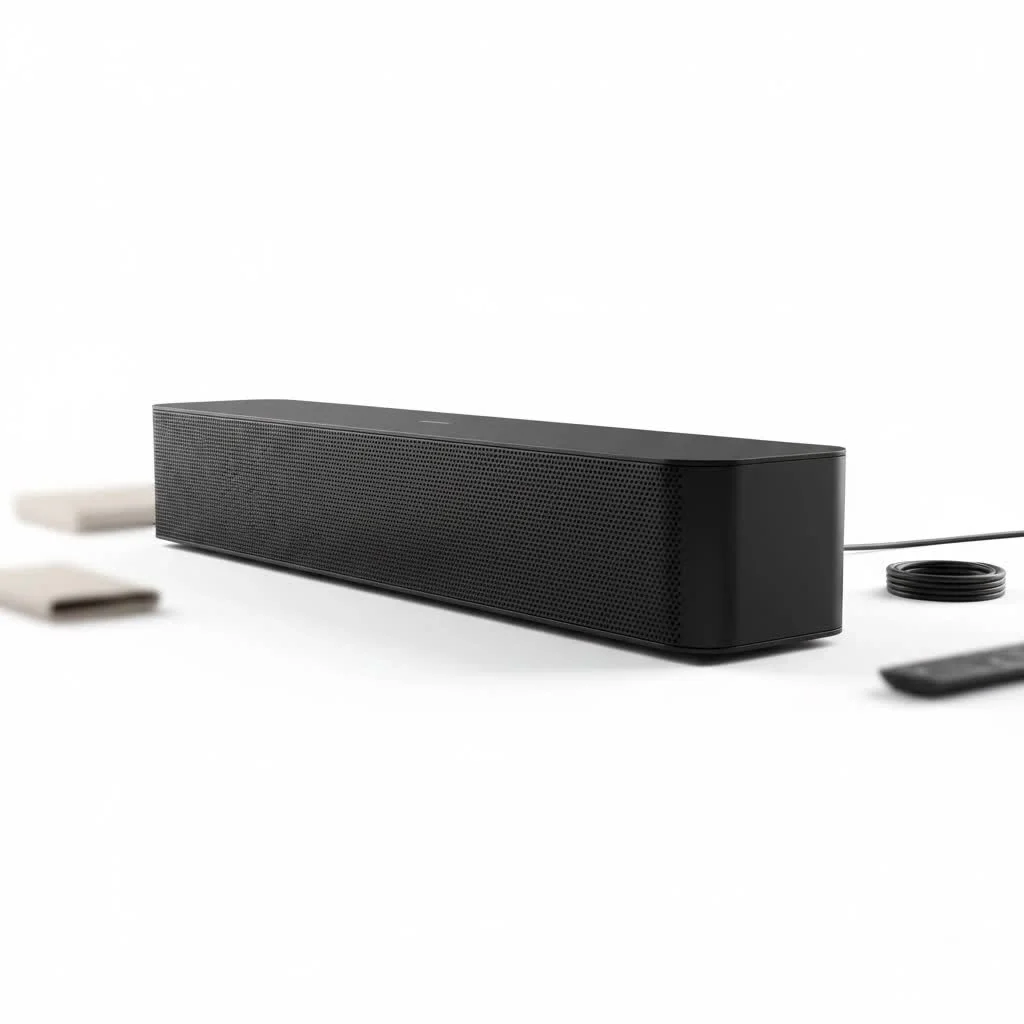
An RCA sound bar significantly enhances TV audio by providing clearer dialogue and a fuller soundstage compared to built-in TV speakers, typically costing under $100. These devices are designed for straightforward, plug-and-play installation, making them an accessible and budget-friendly upgrade for most home entertainment setups.
What Exactly is an RCA Sound Bar?
RCA is a brand known for producing accessible and affordable consumer electronics. An RCA sound bar embodies this philosophy, offering a simple, plug-and-play device that provides a significant audio upgrade over standard TV speakers without the complexity or cost of a full home theater system. These sound bars typically focus on core functionality, delivering clearer dialogue and a fuller soundstage for movies, shows, and music.
These devices are aimed at users who want a no-fuss audio enhancement. While they don’t offer the high-end, room-shaking surround sound of premium brands, they provide a reliable product that makes daily viewing much more enjoyable.
How to Set Up Your RCA Sound Bar
One of the biggest selling points of an RCA sound bar is its ease of installation. Most models can be set up in just a few minutes. Here’s a guide to the most common connection methods.
Connecting with an Optical Cable
This is one of the most reliable ways to get high-quality digital audio from your TV to your sound bar.
- Locate the Ports: Find the Optical Digital Out port on your TV and the corresponding Optical In port on your sound bar. These ports are typically square-shaped and may have a small protective cap.
- Connect the Cable: Remove the plastic tips from the optical cable. Plug one end into the TV and the other into the sound bar until you hear a click.
- Adjust TV Settings: Go into your TV’s audio or sound settings menu. Change the audio output from “TV Speakers” to “Optical” or “External Speaker.” You may also need to set the digital audio format to “PCM,” as not all RCA models can decode formats like Dolby Digital.
Connecting with an HDMI ARC Cable
HDMI ARC (Audio Return Channel) is a fantastic feature that allows audio to travel from your TV to your sound bar using the same HDMI cable that sends video to your TV. It also lets you control the sound bar’s volume with your TV remote.
- Find the HDMI ARC Port: Look at the HDMI ports on your TV. One of them should be labeled “ARC.” Connect your HDMI cable to this port.
- Connect to Sound Bar: Plug the other end of the cable into the HDMI OUT (ARC) port on your RCA sound bar.
- Enable TV Settings: In your TV’s settings, you may need to enable HDMI-CEC (the name varies by brand, e.g., Anynet+ on Samsung, SimpLink on LG). This allows the devices to communicate. Then, select HDMI ARC as your audio output.
Connecting via Bluetooth
|
Our Picks for the Best Sound Bar in 2026
As an Amazon Associate I earn from qualifying purchases.
|
||
| Num | Product | Action |
|---|---|---|
| 1 | Sound Bar for Smart TV, 80W Soundbar with Bluetooth/ARC/Opt/AUX Connect, Auto Volume Boost, 3 Equalizer Modes, 2 in 1 Detachable Soundbar for TV/PC/Gaming/Projectors |

|
| 2 | Sound Bar for Smart TV, 80W Soundbar with Bluetooth/ARC/Opt/AUX Connect, Dynamic Volume Boost, 3 Equalizer Modes, 2 in 1 Detachable Soundbar for TV/PC/Gaming/Projectors |
|
| 3 | ULTIMEA 5.1CH Surround Sound Bar with Subwoofer, Dolby Atmos, VoiceMX, BassMX, APP, 300W Soundbar for Smart TV, Home Theater Surround Sound System for TV, BT 5.4, Poseidon M60 (2025 Model) |
|
| 4 | Sound Bar for Smart TV, 80W Soundbar with Bluetooth/ARC/Opt/AUX Connect, Auto Volume Boost, 3 Equalizer Modes, 2 in 1 Detachable Soundbar for TV/PC/Gaming/Projectors |
|
| 5 | Sonos Beam Gen 2 - White - Soundbar with Dolby Atmos |
|
| 6 | VIZIO V-Series 2.0 Compact Sound Bar with Dolby Audio, DTS:X, Bluetooth V20x-J8 |
|
| 7 | Sony S100F 2.0ch Soundbar with Bass Reflex Speaker, Integrated Tweeter and Bluetooth, (HTS100F), easy setup, compact, home office use with clear sound black |
|
| 8 | Sonos Beam Gen 2 - Black - Soundbar with Dolby Atmos |
|
| 9 | Samsung HW-C450 2.1ch Soundbar w/DTS Virtual X, Subwoofer Included, Bass Boost, Adaptive Sound Lite, Game Mode, Bluetooth, Wireless Surround Sound Compatible |
|
| 10 | MZEIBO Sound Bar with Subwoofer,120W Soundbar for Smart TV Surround Sound Home Theater System Bluetooth 5.3 Audio Compatible with ARC, AUX, Optical |
|
For a wireless connection, especially for playing music from your phone or tablet, Bluetooth is the way to go.
- Activate Pairing Mode: Turn on your sound bar and press the Bluetooth or Source button until the indicator light starts flashing, signifying it’s in pairing mode.
- Find the Sound Bar: On your phone, tablet, or TV, go to the Bluetooth settings and search for new devices.
- Connect: Select your RCA sound bar from the list of available devices to complete the pairing process.
Expert Tip: “While Bluetooth is convenient for music, a wired connection like Optical or HDMI ARC will always provide a more stable and higher-quality audio signal for watching movies,” notes audio specialist David Chen.
Common RCA Sound Bar Problems and Fixes
Even the simplest tech can have hiccups. Here are some common issues and how to solve them quickly.
Why is there no sound coming from my sound bar?
This is the most frequent problem users face. The fix is usually simple.
- Check the Source: Ensure your sound bar is set to the correct input source (e.g., Optical, HDMI, Bluetooth) that matches the cable you’re using.
- Verify TV Settings: Double-check that your TV’s audio output is set to “External Speaker” or the specific connection type you’re using, not “TV Speakers.”
- Mute and Volume: Make sure neither the TV nor the sound bar is muted. Try turning up the volume on both the sound bar remote and the TV remote.
- Re-plug Everything: Sometimes, a simple “reboot” works wonders. Unplug the power and the audio cable from both the TV and the sound bar, wait 30 seconds, and plug them back in securely.
Why isn’t my RCA remote working?
If the remote is unresponsive, try these steps:
- Check the Batteries: This is the most obvious but often overlooked solution. Replace them with a fresh pair.
- Clear the Line of Sight: Ensure there are no obstructions between the remote and the sound bar’s sensor.
- Re-pair the Remote: Some models may require you to re-pair the remote. Check your user manual for instructions.
Are RCA Sound Bars Actually Good?
An RCA sound bar is a good product for a specific type of user seeking an affordable and simple audio upgrade.
Pros:
- Affordability: They are among the most budget-friendly sound bars on the market.
- Simplicity: Installation and operation are incredibly straightforward.
- Clearer Dialogue: They excel at making voices clearer and more distinct than TV speakers.
- Compact Size: Most models are designed to fit neatly under a TV without being intrusive.
Cons:
- Basic Audio Quality: They lack the deep bass, immersive surround sound, and dynamic range of more expensive models. They offer an improvement, not a revolution.
- Limited Features: You won’t typically find advanced features like Dolby Atmos, Wi-Fi streaming, or voice assistant integration.
- Build Quality: The construction is often basic, using plastics that don’t feel premium.
An RCA sound bar is a fantastic entry-level upgrade. It’s for the person who wants something better than their TV speakers without breaking the bank or dealing with a complicated setup.
Frequently Asked Questions (FAQ)
Q: Can I connect my subwoofer to an RCA sound bar?A: Some RCA sound bar models come with a dedicated subwoofer (often wireless), while others may have a “Sub Out” port to connect a powered subwoofer. However, basic models often do not have an option to add an external subwoofer.
Q: Does an RCA sound bar work with any TV?A: Yes, an RCA sound bar is compatible with any TV that has one of the required audio outputs, such as Optical, HDMI ARC, or even a headphone jack.
Q: How do I improve the bass on my RCA sound bar?A: Most RCA remotes include preset equalizer modes like “Movie,” “Music,” or “News”; the “Movie” mode typically offers the most enhanced bass. Some models also provide separate bass and treble controls directly on the remote.
Q: Can I mount my RCA sound bar on the wall?A: Many RCA sound bar models are designed for wall mounting and often include a mounting kit or template in the box. Always check the product specifications to confirm wall-mounting compatibility.
Q: What is the best RCA sound bar model?A: The “best” RCA sound bar model depends on individual needs, but look for models with higher wattage for more power, multiple connection options (HDMI ARC is a significant plus), and consider bundles that include a wireless subwoofer for improved bass performance.
The Final Verdict
An RCA sound bar serves its purpose perfectly as a simple, affordable, and effective upgrade to your TV’s sound. It bridges the gap between poor built-in speakers and a costly, complex home theater system. If you want clearer dialogue, fuller sound, and an easy setup without a hefty price tag, it is an excellent choice. While it won’t satisfy a dedicated audiophile, it delivers exactly what it promises: better sound for everyone.
Get our weekly buyer guide
Practical specs, not advice. Unsubscribe anytime.

For under $100, this RCA sound bar is a solid choice. It definitely improved the soundstage compared to my TV’s built-in speakers, making everything sound much fuller. I wish it had a few more EQ options, but for the price, you can’t really complain.
My old TV speakers were so tinny, it was driving me crazy. This RCA sound bar completely transformed my viewing experience. The sound is so much clearer and more immersive now. It’s a fantastic, no-fuss audio enhancement that I’d recommend to anyone.
I got an RCA sound bar hoping for a huge improvement in music playback, but it’s just okay. Dialogue clarity is much better, which is great for TV shows, but if you’re an audiophile looking for rich bass for your tunes, this might not be enough. It’s simple to set up though.
I was really tired of straining to hear dialogue on my old TV. This RCA sound bar was exactly what I needed. The plug-and-play installation was a breeze, and it made such a difference for movies and shows. Definitely a budget-friendly upgrade that delivers.